

Set one up in the portal
Owners and Admins do this in Settings → Webhooks (under Developers).- Select Set up for iPaaS.com, or Add another endpoint for any other system.
- Enter the URL your system gave you. Webhooks are sent over https only, to public addresses.
- Add any Headers your system needs, such as the AuthKey iPaaS.com issues. Values are kept encrypted. A credential is never shown again, only the last four characters of a long one: any header named like a key, token, secret, password, signature or cookie (such as AuthKey), or one you tick Secret for. Other values stay visible, so you can check and change them.
- Under What it hears about, tick the scopes it needs, or Everything.
- Leave the Body as Standard, or write your own template (below).
- Select Create webhook. If your system checks signatures, copy the signing secret now: it’s shown only once.
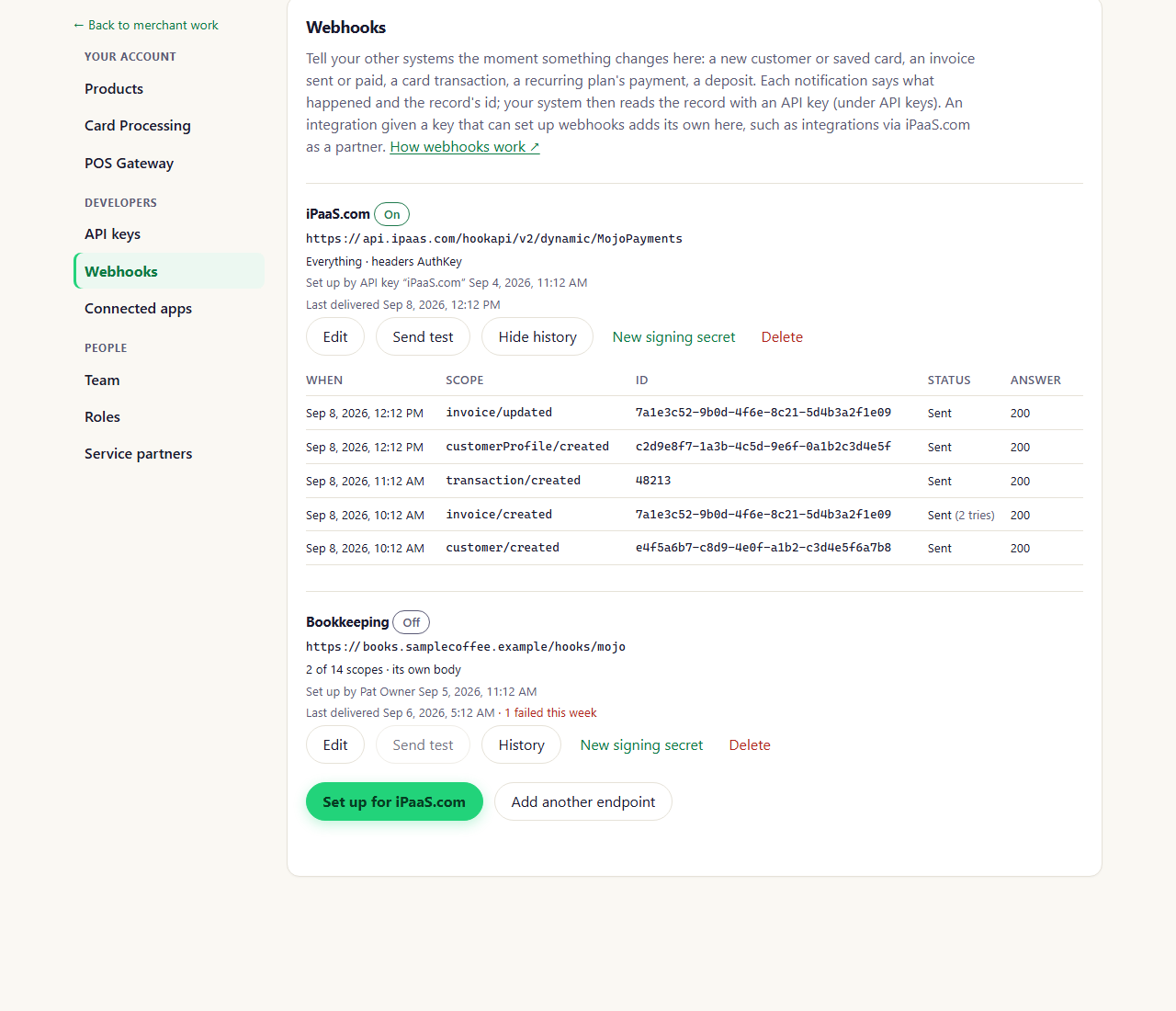
Settings → Webhooks, an endpoint's history open (portal as of October 2026)
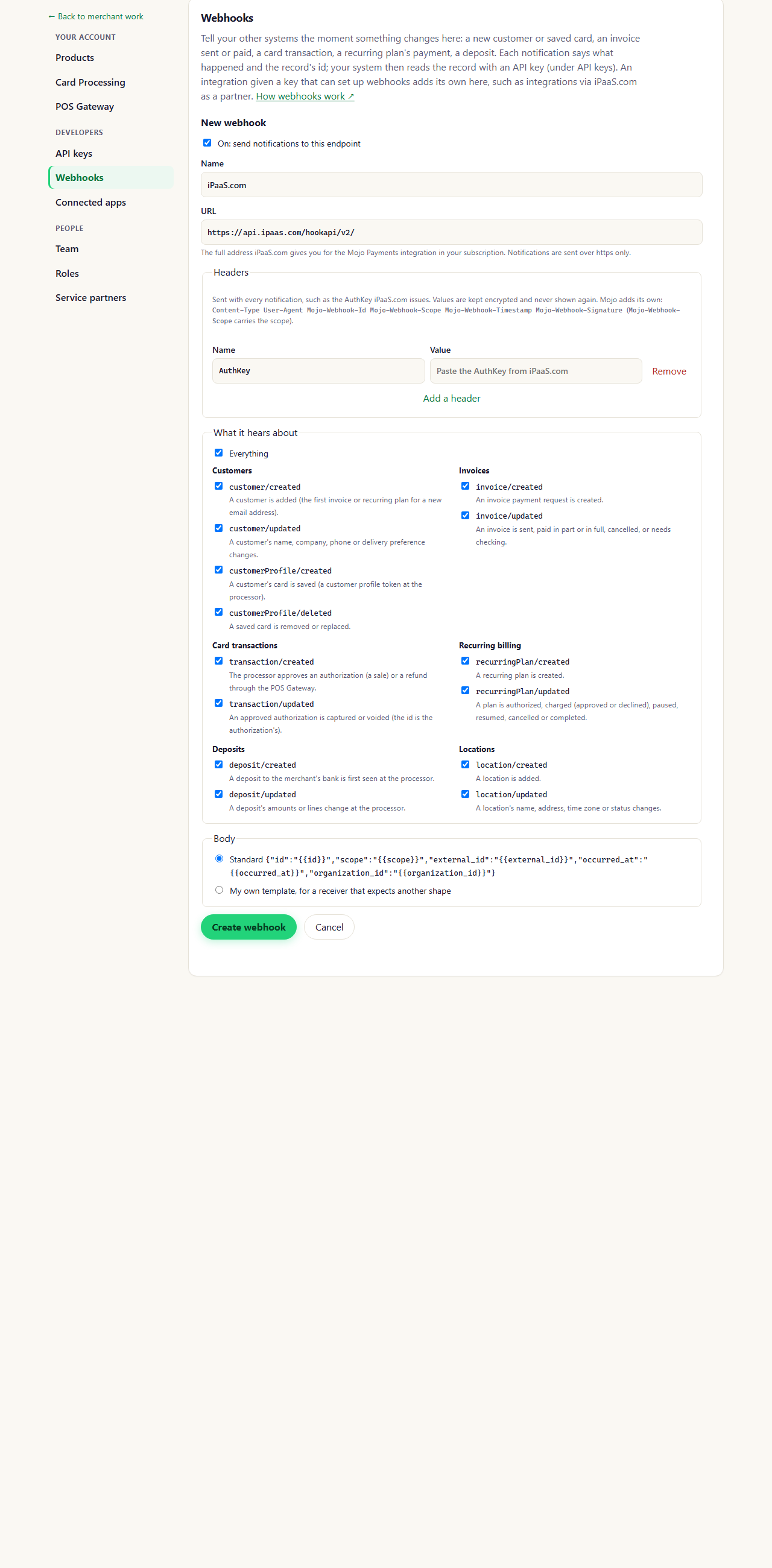
Setting up a webhook for iPaaS.com (portal as of October 2026)
What a notification looks like
Mojo Payments sends aPOST with a JSON body:
These headers come with every notification, with any headers of your own:
Answer with any
2xx status within 15 seconds. Anything else, or no answer, is tried again after 1, 2, 4 and more
minutes, then every 6 hours, 12 times in all (about a day). After that it shows as failed in the endpoint’s
History, where you can send it again. Redirects aren’t followed: use the final address.
Scopes
A payment on an invoice is part of the invoice, so it’s sent as
invoice/updated; it’s also a card transaction, so
cardTransaction/created follows within a minute. Declined card transactions and authorizations that are never
captured aren’t sent. See Card transactions. Reading a record needs an API key with the matching permission, such as payments.view
(Authentication).
Your own body
For a system that expects another shape, choose My own template and write the JSON it wants. These placeholders are filled in, JSON-escaped, so put quotes around them yourself:
For example, a list of notifications:
Check the signature
If your system checks where a notification came from, compute an HMAC-SHA256 of theMojo-Webhook-Timestamp header,
a dot and the raw body, keyed with the endpoint’s signing secret (whsec_…). Compare it, as lowercase hex, with what
follows v1= in Mojo-Webhook-Signature, and ignore notifications more than a few minutes old.